
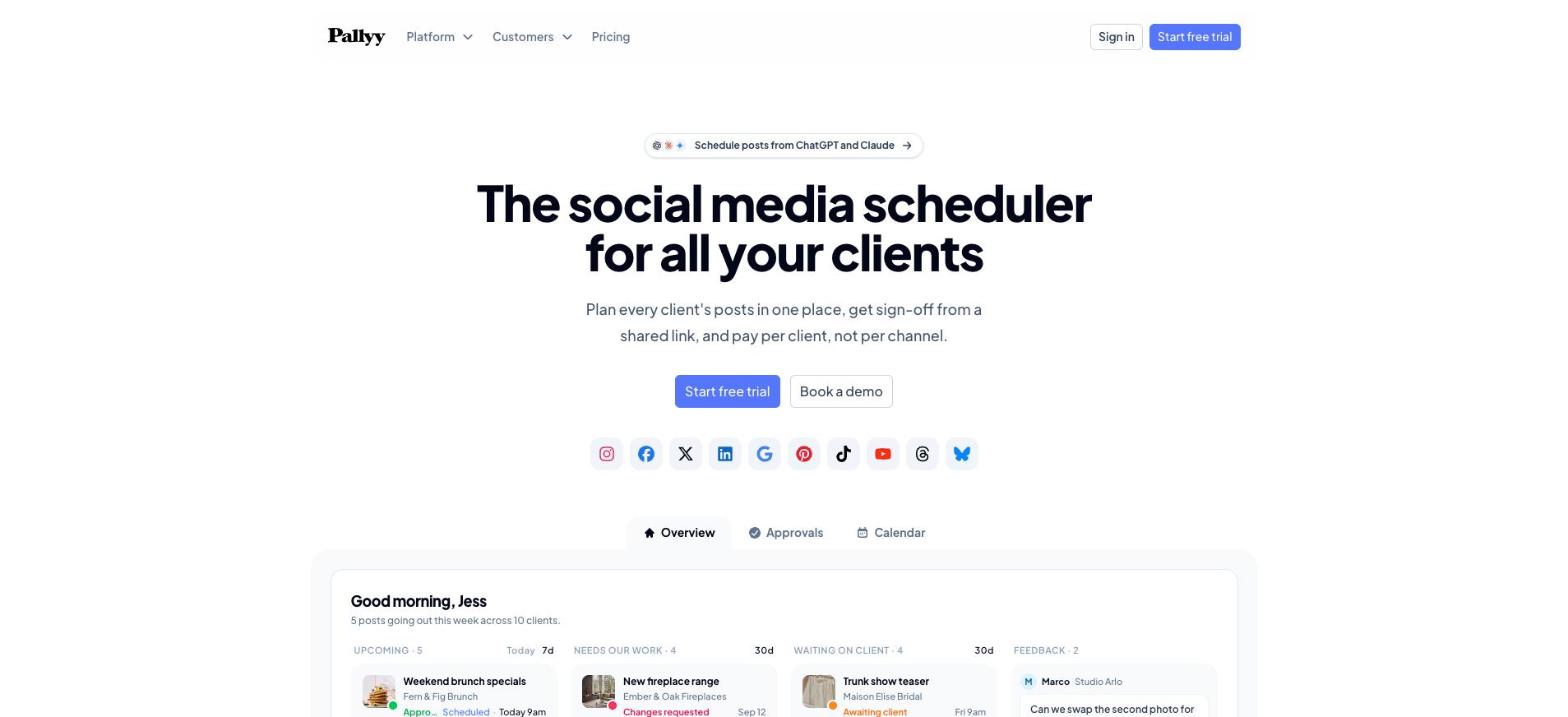
We’ve been using Pallyy for about three months now to run social media for our clients, and I wanted to write down what I think of it while it’s still fresh. The short version is that it’s a simple system, and it took away most of the manual work that used to eat into our week. That’s all I really wanted from a scheduler, and it’s surprisingly rare to find one that does it without a pile of setup first.
If you’re still comparing options, Pallyy keeps a roundup of the best social media scheduling tool picks for 2026 that’s worth reading next to this. I’m only going to talk about the one we actually use.
The problem we wanted gone
Anyone who handles social for more than a couple of businesses knows how it goes. Drafts sit in one place, feedback comes back by email or text, someone copies the approved caption into each platform, and then somebody checks that it really went out. None of those steps are hard on their own. It’s the repetition that gets you, because it happens for every post, for every client, every single week.
So what we were after was fewer steps between writing a post and seeing it live. A longer feature list wasn’t on our wish list at all.
Everything is organized by client
The first thing that clicked for me about Pallyy is that everything is grouped by client. Each client gets its own “social set” with their accounts, their calendar and their posts in it. You aren’t scrolling past one brand’s content to find another’s, and nothing gets mixed up between them.
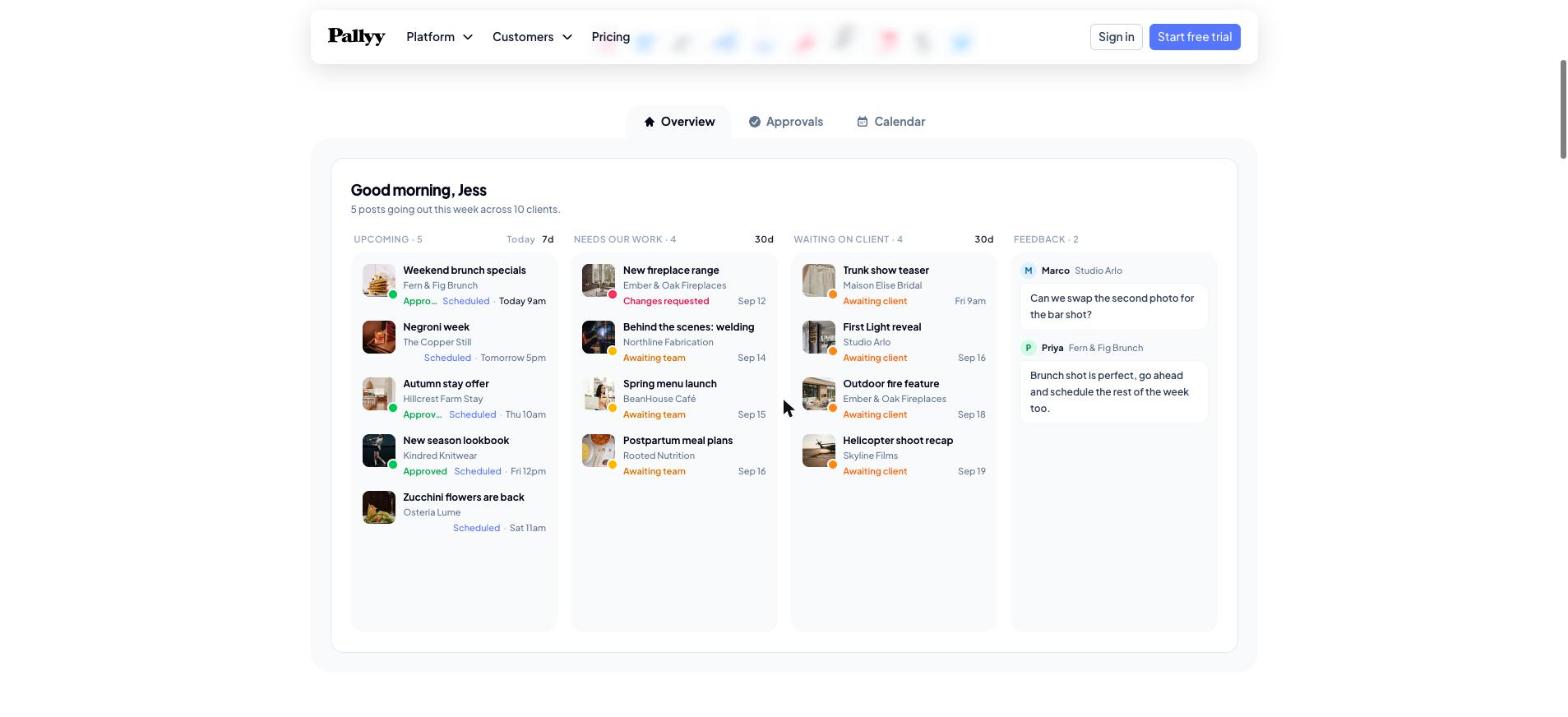
The overview screen pulls the week together in one view. You can see what’s scheduled to go out, what still needs work on your side, what’s sitting with the client waiting for sign off, and the latest comments people have left. When you’re juggling a lot of accounts, having that on one screen cuts down on a lot of clicking around.
Client approvals without the email chain
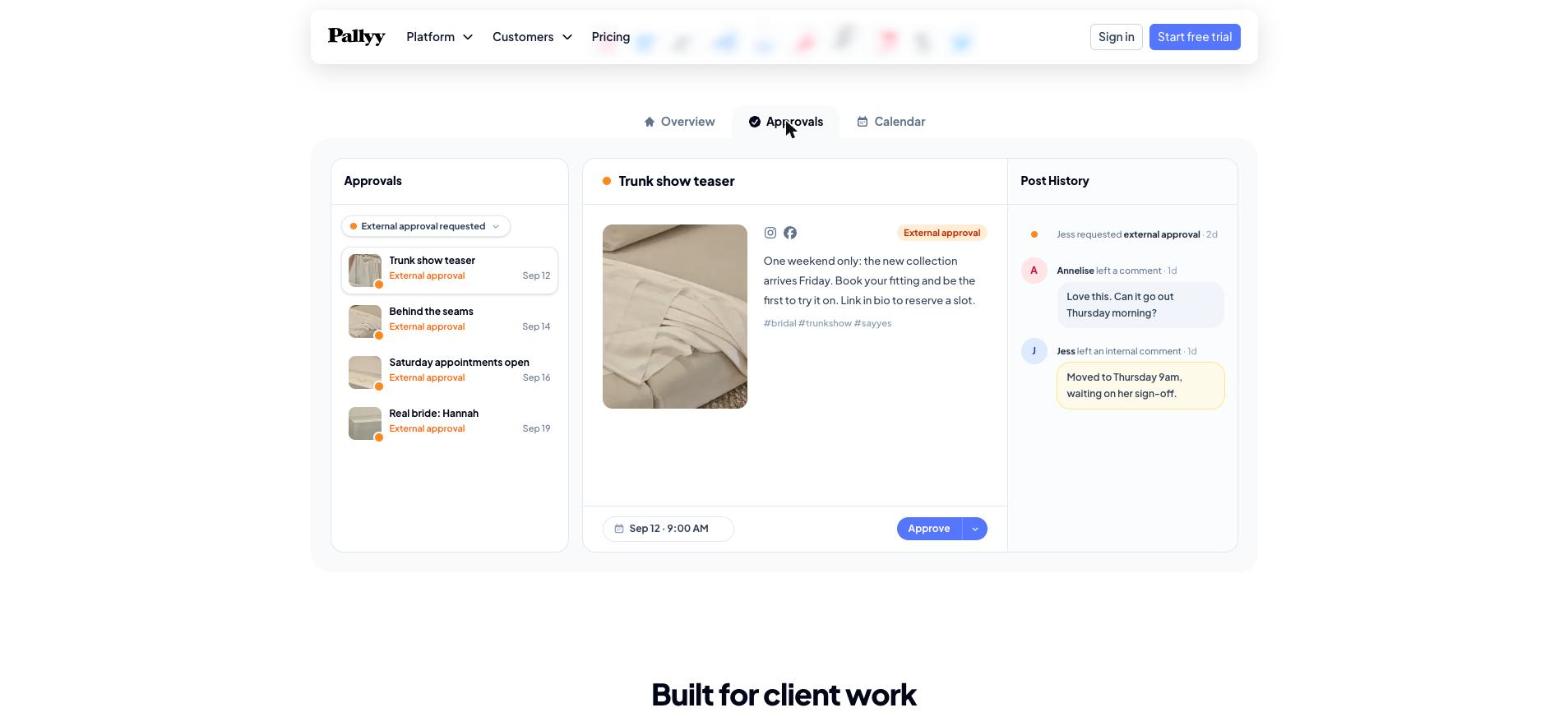
Approvals used to be where a lot of our back and forth happened. In Pallyy, the client gets a shared link, sees the post the way it will look, and either approves it or leaves a comment right there. They don’t need to create an account to do it, which matters more than you’d think, because most business owners don’t want another login.
The team can also leave internal comments that stay separate from the client’s, so we can talk through a caption or move a time slot without the client seeing every little note. Each post keeps its own history, so you can always see who asked for what and when.
One calendar per client, every channel on it
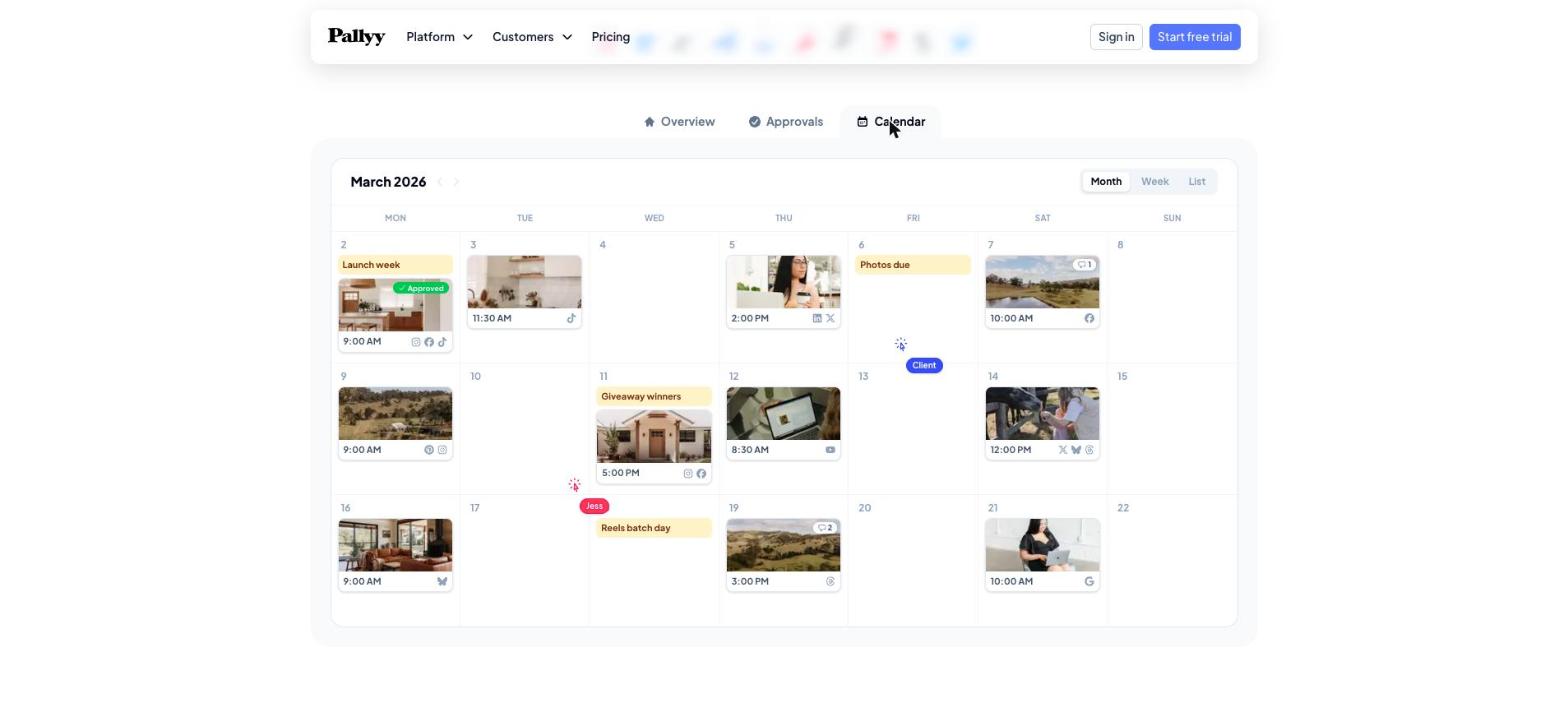
Each client has a drag and drop calendar with all of their channels on it. You write the post once, tweak the caption for each network if it needs it, and publish to all of them from the same place. It covers Instagram, Facebook, X, LinkedIn, Google Business Profile, Pinterest, TikTok, YouTube, Threads and Bluesky. Google Business Profile being in that list is a big deal for us, since so much of our work is local SEO and those posts are easy to forget about when they live in a separate dashboard.
There’s also per client reporting you can export as a PDF at the end of the month, and you can give teammates or freelancers access only to the clients they work on.
What it costs
Pallyy charges per client, not per channel, which is the right way round for agencies. At the time of writing, the Agency plan is $99 a month for up to 10 clients and three team seats, and their own example of a freelancer with three clients works out to $45 a month. Pricing changes, so check their site for the current numbers, but the per client model means you aren’t punished for a client who happens to be on six platforms.
Anything we’d change?
Honestly, no. Three months in, we haven’t run into anything that made us want to look elsewhere, and I’d rather say that plainly than make up a complaint just to sound balanced. The fair caveat is that three months is three months. Ask me again in a year.
Who should use it
If you run this kind of operation, whether that’s an agency, a freelance social media manager or a business with several locations, it’s an easy recommendation. It saves time and makes the whole thing run more efficiently. It’s clearly built around client work, so that’s where it makes the biggest difference.
And if you’d rather not run social media yourself at all, that’s something we handle for clients through our social media marketing service.