
Google Business Profile verification usually finishes within 5 business days once Google has your proof. Video and live video call reviews are the slowest part of that window, a postcard code typically arrives within 14 days and expires after 30, and phone, text or email codes can work within minutes when Google offers them. Which method you get depends on your business type, your region, your public information and your business hours, and you cannot pick it yourself. Most failed attempts trace back to a mismatch between what the profile says and what the video, postcard or documents show.
Verification at a glance
- Review time for video and other proof: up to 5 business days (Google states it can occasionally run longer)
- Postcard delivery: most codes arrive within 14 days
- Postcard code lifespan: 30 days, five digits
- Minimum video length: at least 30 seconds, filmed live in one unedited take
- Cost to add or claim a profile: free
- Who chooses the method: Google, based on eligibility
Terms used in this guide
- Verification: the step that proves you are entitled to manage a Business Profile, which unlocks editing business details and replying to customers.
- Service-area business: a business that travels to customers, such as a plumber or mobile groomer, and hides its street address on the profile.
- Storefront or hybrid business: a business with a staffed location customers can visit, which may also serve customers elsewhere.
- Re-verification: a fresh request from Google to prove ownership again, often after you change sensitive details.
Treat the timelines above as Google’s published guidance rather than a promise for your account. Review speed, the methods offered and the amount of proof requested all vary by business model, category, address history and the state of the profile. Third party blog posts and forum threads often quote different numbers, so the safest approach is to follow what your own Business Profile screen asks for and check Google’s help pages when something looks unusual.
Key takeaways
- Verification is required before you can edit your business name, hours or other details and before you can interact with customers through the profile.
- You cannot choose the verification method. Google assigns it, and you may be asked for more than one.
- If a postcard is on its way, leave the name, address and category alone and do not request a second code. Either action can invalidate the first one.
- Video verification rewards preparation. Your business name, a recognizable surrounding area and proof that you manage the place all need to appear in one continuous clip.
- Virtual offices, remote mailboxes and PO boxes do not qualify as profile addresses.
- Never share a verification code with anyone, including an agency or freelancer who manages your profile.
- Verification gets you control of the profile. It does not by itself make you more visible in local results.
What is Google Business Profile verification and why does it matter?
It is Google’s check that the person editing a Business Profile is actually connected to the business. Until you pass it, you cannot change details such as your name or hours, and you cannot interact with customers through the listing. Google also says verification gives you ownership of the profile, which is why it sits at the front of every local search project.
For a business owner, the practical effect is simple. An unverified profile may still exist on Google Search and Maps, but you cannot correct a wrong phone number or answer a question someone asked about you. If you are planning wider local SEO and Google Maps ranking work, verification is the first gate, because categories, services, photos and posts all depend on having edit access.
Adding or claiming a profile costs nothing. Google’s own help page states that you can add or claim your business at no charge. Any fee someone quotes you for verification is a fee for their time, not a Google charge, and it is worth asking exactly what that time covers.
Which verification methods might Google offer you?
Google may offer phone or text, email, video recording, a live video call or a postcard, and it decides which of these appear for your profile. The choice depends on business type, public information, region and business hours, and some businesses are asked to complete more than one. When video verification is available, Google recommends it.
| Method | How it works | Things to know |
|---|---|---|
| Phone or text | A code arrives by call or SMS to the business number | Automated phone menus (IVR systems) will not receive the code, so a person or a direct line has to answer |
| You follow the steps sent to the email address shown on the verification screen | Only the address Google displays works, so check that inbox is one you can still reach | |
| Video recording | You film your location, your business and proof of management from a mobile device | At least 30 seconds, live and unedited, with no breaks; review can take up to 5 business days |
| Live video call | A Google representative walks through the same proof with you in real time | Not available to every business, runs only during your business hours, and you must be at the location |
| Postcard | Google mails a five digit code to your confirmed address | Most arrive within 14 days and the code expires after 30 days |
There are also two shortcuts that Google describes as potentially instant. One is verifying your website through Google Search Console, and the other is bulk verification, which exists for businesses managing many locations. Neither is guaranteed to be available, and Search Console access has to belong to the same Google Account you use for the profile. If you manage your own site, our technical SEO and schema services page explains the kind of site housekeeping that usually includes Search Console setup.
How long does Google Business Profile verification take?
Google says verification reviews take up to 5 business days and that, rarely, they take longer. Codes sent by phone, text or email can finish the same session, and a postcard sits at the long end because it depends on the mail. The table below separates what Google publishes from what you should simply plan around.
| Step | What Google says | Sensible planning note |
|---|---|---|
| Phone, text or email code | Code is delivered when you request it | Have the phone or inbox in your hand before you press the button |
| Video or live call review | Up to 5 business days, occasionally longer | Do not edit the profile while the review is pending, and check your email and the profile for a “Review issues” notice |
| Postcard delivery | Most codes arrive within 14 days | Mail to a suite or a busy building can be slower, so warn whoever collects the post |
| Postcard expiry | Code expires after 30 days | Enter it as soon as it lands rather than leaving it on the desk |
| Website verification via Search Console | Can be instant when eligible | Only worth trying if the website is already verified under the right Google Account |
Community threads on Google’s own help forum show owners who were asked to verify again after completing the process. Those are individual reports, not a documented rule, but they match Google’s guidance that a fresh request can follow recent changes to business details. A fixed turnaround is therefore a reasonable target and not a guarantee.
How do you verify a Business Profile step by step?
Sign in to the Google Account that owns the profile, select Get verified, and complete whichever method Google shows you. The order below follows Google’s help documentation, with the preparation steps most people skip.
- Check that the profile follows Google’s guidelines, in particular the business name, the address and the category.
- Decide who is signing in. Use the Google Account that will stay with the business, not a personal account belonging to an employee who might leave.
- Find your profile by signing in to that account, or add the business at business.google.com/add if it does not exist yet. If an unverified profile already exists, claim it from Google Maps using Claim this business.
- Select Get verified and read which methods appear. Do not close the screen if a method has a time limit.
- Complete the method: enter the code, follow the email steps, or record the video from the location.
- Wait for the confirmation email. After that you can add owners and managers or transfer primary ownership.
If the Get verified button comes back later, Google could not fully verify the business. Try again or switch to another method if one appears. If the profile is already verified by someone else, the route is a request for ownership from the current owner, not a second profile for the same business.
What does video verification need to show?
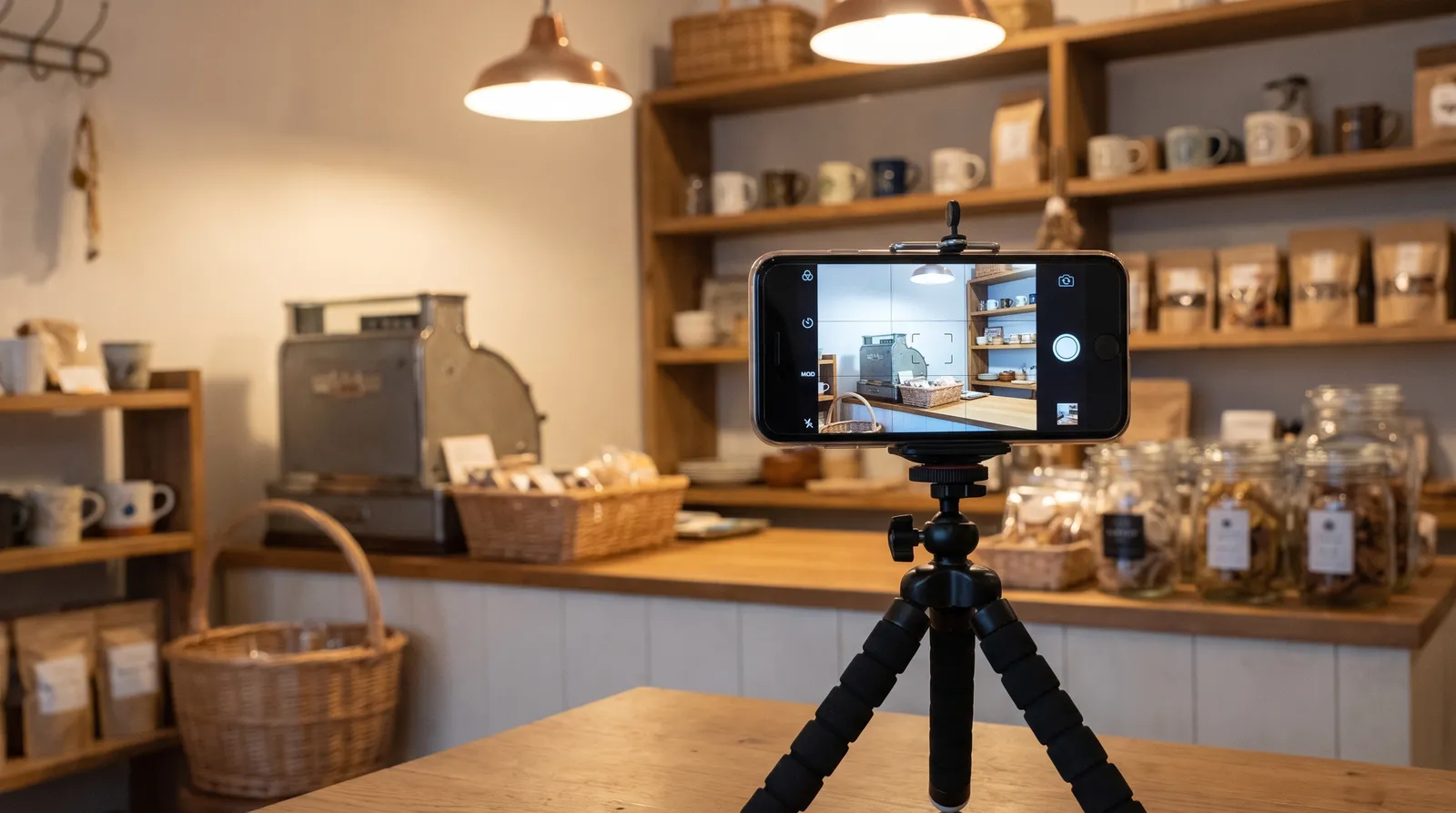
Your video has to show three things in a single unedited take: where the business is, that the business really exists there, and that you are allowed to run it. Google requires a live recording of at least 30 seconds filmed on a mobile device, with no breaks, and it rejects pre-recorded or edited clips. You can read the full rules on Google’s video verification help page.
| What Google wants to see | Storefront or hybrid business | Service-area business |
|---|---|---|
| Where you are | Street signs, building numbers, nearby businesses or landmarks that match the address on Google Maps | Street signs or landmarks near your business address, not empty land with no markers; home-based businesses can film signs in the neighbourhood |
| That the business exists | Storefront, showroom or signage with the business name on a permanent fixture such as a signboard, wall or window, matching your profile | Professional tools, equipment, products, a workspace, business cards or branded clothing |
| That you manage it | Areas only employees reach, such as a cash register, kitchen, storage room or point-of-sale system | Doing the work or unlocking business-only assets, such as a branded van; a permit, invoice or utility bill matching the profile name also counts |
What should stay out of the frame?
Keep bank, tax and identification numbers out of the shot, along with private information about yourself or anyone else. Avoid filming other people’s faces. You can delete a submitted video at any time under Business Profile settings, then Advanced settings, then Video uploads, and Google deletes it later if you do not. If you cancel an upload partway through, neither you nor Google keeps access to it.
What if the video is rejected?
Open your profile on a mobile device and tap Review issues. Google lists the reasons, which commonly include a business name that was not visible on the storefront, no surrounding area shown, or missing proof of authorization to operate. Record a fresh video that contains everything from the first attempt plus the missing items, then upload it. Reshooting with the same gaps is the most common reason for a second rejection.
What are the postcard rules?
Request the postcard once, confirm your mailing address carefully, and then leave the profile alone. Google tells owners not to edit the business name, address or category while waiting, because that makes the code fail, and not to request a new code, because a new request invalidates the one in the mail and can lengthen the process.
When the card arrives, enter the five digit code on your profile and select Submit within the 30 day window. Treat the code like a password. Google says it will never ask for it, so do not read it out to anyone who contacts you, and do not pass it to the people who manage your profile for you. They can request their own access once you are verified.
Why does verification fail or keep getting requested?
The usual causes are inconsistencies between the profile and the proof, edits made while a request was pending, and an address that does not meet Google’s rules. The table pairs each cause with the fix that matches Google’s guidance. Where a cause comes from forums rather than documentation, the row says so.
| Cause | Fix | Source type |
|---|---|---|
| Business name on the profile does not match the signage in your video | Align the profile name with the real-world name customers see, then re-record | Google help documentation |
| Name, address or category edited while a postcard is pending | Stop editing, wait for the code, and if the 30 days pass, restart with one fresh request | Google help documentation |
| Second postcard requested | Stop requesting codes and enter the most recent one if it arrives | Google help documentation |
| Video lacks surroundings, signage or proof of management | Use Review issues, then film a complete new take | Google help documentation |
| Address is a virtual office, remote mailbox or PO box | Use a real address where you operate and can receive customers or serve them from | Google guidelines |
| Phone code never arrives | Make sure a person, not an automated menu, answers; try another method if one is offered | Google help documentation |
| Repeated re-verification after recent updates | Select Get Verified again and complete the new request | Google help documentation |
| Loops of video requests with no explanation | Reports on help forums suggest contacting Google’s verification support channel; results vary | Community reports, not documentation |
Scammers sometimes target owners at this stage, offering paid verification, ranking guarantees or “profile recovery”. Nobody can verify a profile on Google’s behalf, and nobody should need your code. If a message promises to bypass Google’s process, treat it as a warning sign.
Which addresses and business types are eligible?
A business can have a profile if it has a physical location customers can visit or it travels to customers. Google’s guidelines say each business should have only one profile, individual practitioners such as doctors or lawyers may have their own if they are public-facing and reachable at the verified location, and service-area businesses should hide their address from customers.
Address rules decide many verification outcomes before any code is sent. Per Google’s guidelines, PO boxes and mailboxes at remote locations are not acceptable, and a virtual office is not eligible when the business rents the address but does not operate there. A co-working space can qualify if there is clear signage, in-person service during business hours and staff from your business on site. Businesses that show an address on Google should keep permanent signage with their business name at that address, and chains must keep the same name across locations unless real-world branding differs.
Business name rules matter too. The name should be the one customers and storefronts actually use, without taglines, phone numbers, URLs, hours or service details. Adding keywords to a name is a quick route to a suspension, and it can also make your video fail because the signage will not match. If you operate in a regulated or high-scrutiny field, the law firm SEO page and dental SEO page show how those sectors usually approach local profiles, and the plumber and electrician SEO page covers the service-area case.
What should you prepare before you start?
Prepare the proof first and press Get verified second. Most rejections come from improvised videos and last minute edits, so a short checklist saves days.
- Your exact business name as it appears on signage, invoices and registration documents
- A street address you operate from, with permanent signage if the address will be public
- A business phone number that a person will answer, and an email inbox you can open today
- For a service-area business: branded vehicle or clothing, tools, and a permit, invoice or utility bill that matches the profile name
- A charged phone with enough storage for a continuous clip, plus a walkthrough route you have rehearsed
- Agreement among everyone on the team that nobody edits the name, address or category until verification finishes
If you are also fixing reviews and reputation at the same time, our guide on how to leave a Google review for a business explains what customers see on their side, and the reputation and review management page lists what that service covers.
What if your profile is suspended?
A suspended profile is a separate problem from verification, and the fix is an appeal. Google may suspend or disable a profile that breaks its guidelines. To request reinstatement, check that the profile now complies, open the Business Profile appeals tool, sign in to the related account, select the profile and review the stated reason, then submit the appeal with optional evidence.
Evidence can include a business registration, a licence, tax certificates or utility bills, and the name and address on each document should match the profile. Google’s page says you must submit the evidence form within 60 minutes of opening it or it will not attach to the appeal, and it does not publish a review timeframe. Do not create a new profile for the same business while an appeal is pending. If your whole account is restricted, appeal the account first and the profile second. The full steps are on Google’s suspended profile help page.
What comes after verification?
Once you are verified, the profile is yours to run. You can complete the profile, add owners and managers, respond to reviews and keep information current. Google’s help page confirms that you receive a confirmation email and can then manage access.
Visibility is a separate question. Verification is a requirement for control, and Google does not state that it improves your ranking, so any claim that passing verification will lift you in local results is unsupported. Rankings depend on relevance, distance and prominence, which is why local SEO usually combines the profile with citations, reviews, local pages and tracking. 2Marketing’s local SEO page lists Google Business Profile optimization, citations and NAP consistency, location and service-area pages, review growth, local links and geo-grid tracking as parts of that service. For a wider view of what different services involve, see the digital marketing services overview and the SEO services page.
If you want a second set of eyes on how your profile, site and reviews compare with nearby competitors, the free local AI SEO report is a form based request where, according to the page, a specialist reviews each report and delivers it usually within one business day. It is not an instant automated tool, so expect a person to prepare it. You can also book a consultation call or contact the team with specifics about your situation.
How do you measure whether the profile is working?
Look at enquiries and actions before you look at views. A verified profile can show impressions, calls, direction requests and website clicks, and those are intermediate signals. They tell you people noticed you, not that revenue followed. Pair them with call tracking and form tracking so you can connect profile activity to real enquiries, and our marketing analytics and call tracking page explains how that setup usually works.
Local visibility also increasingly includes AI answers. If you want to see whether tools such as ChatGPT or Google AI Overviews mention your business, the AI visibility tracking service page describes one way to monitor it. Keep expectations modest, because a single AI response is a snapshot and not a stable ranking. Related reading on this site covers how local SEO services help a growing business and boosting your online presence with local SEO.
Should you hire help with verification?
Most owners can verify on their own if the details are accurate and the proof is ready. Outside help makes sense when your address history is complicated, the profile has been suspended, several locations need attention, or the same video request keeps coming back. Ask any provider to explain exactly what they will do, who will hold ownership of the Google Account, and how they handle codes. They should never ask you to hand over a code, and you should remain the primary owner of the profile.
Budget questions are separate. Agency fees for local SEO, ad spend, software and web development are different cost lines, and none of them are a fee Google charges for verification. If you are comparing providers more broadly, the Toronto guide on choosing a digital marketing agency and the pricing overview for digital marketing in Toronto give context.
FAQ
How do I verify my Google Business Profile?
Sign in to the Google Account that manages the profile, select Get verified, and complete the method Google shows you, such as a phone or text code, an email, a video recording, a live video call or a postcard. You cannot choose the method.
How long does Google Business Profile verification take?
Google says reviews take up to 5 business days and occasionally longer. Postcard codes usually arrive within 14 days, while codes by phone, text or email can arrive immediately.
Why does Google keep making me verify my business?
Google says a fresh request often follows recent updates to business details, and a returning Get verified button means it could not fully verify the business. Complete the new request or try another method if one is offered.
Why am I unable to verify my Google Business Profile?
Common causes include a name that does not match your signage, a video missing surroundings or proof of management, edits made during a pending request, and addresses that are virtual offices or PO boxes. Check Review issues for Google’s stated reason.
How much does it cost to verify a business on Google?
Nothing. Google’s help page says you can add or claim your business at no charge. Anyone charging you is charging for their own services.
Can I choose how my business is verified?
No. Google determines the methods based on business type, public information, region and business hours, and you may need more than one.
What should I do if my postcard never arrives?
Most arrive within 14 days, and the code expires after 30. Do not request a second code and do not edit the name, address or category while waiting, since both can invalidate the code. If the window passes, restart with Get verified and follow the new instructions.
Can I verify a home-based business?
Yes, as a service-area business if you serve customers at their locations. Hide your address, and in a video show nearby signs, your tools or branded items, and proof that you run the business, such as a permit, invoice or utility bill matching the profile name.
Can I use a virtual office or PO box?
No. Google’s guidelines say PO boxes and mailboxes at remote locations are not acceptable, and a virtual office is not eligible when you rent the address without operating there.
What should I film for video verification as a service-area business?
Show identifiable surroundings near your business address, professional tools, products or branded clothing, and yourself performing a service or unlocking a branded vehicle. A matching permit, invoice or utility bill also works as proof.
What if my verification video is rejected?
Tap Review issues on mobile, read the reasons, and record a new video that includes everything from the first plus the missing items. Reasons Google gives include an unreadable business name, no nearby area shown, or missing proof of authorization.
Do I need to verify to manage my profile?
Yes. Google says verification is needed to edit business information such as your name or hours and to interact with customers, and it gives you ownership of the profile.
Can I verify several locations at once?
Google mentions bulk verification as an option that can be instant for eligible businesses with many locations. Availability depends on eligibility, so check what your account shows.
Does verification improve my local rankings?
Google does not say so. Verification gives you control of the profile, but visibility depends on relevance, distance and prominence, and no result is guaranteed.
Is it safe to give my verification code to an agency?
No. Google says it will never ask for the code and tells owners not to share it, even with people who manage the profile. Once you are verified, add them as a manager instead.
What if someone else already verified my business?
If the profile is already verified, request ownership from the current owner. Do not create a duplicate profile, since Google says there should be one profile per business.
Can I verify through Google Search Console?
Google says verification can be instant if you verify your website with Search Console. It is not available to every business, so check whether the option appears on your profile.
What can I do if my profile is suspended?
Use Google’s appeals tool after confirming the profile follows the guidelines, attach matching evidence such as a licence or utility bill, and avoid creating a new profile while the appeal is open.
Closing thoughts
Most verification problems are small and avoidable. Make the profile name match the signage, use an address that qualifies, film everything in one take, and leave the profile alone while Google reviews it. If you would like help with what comes after, from citations to review growth, the team at 2Marketing offers local SEO that starts from your verified profile, and you can start with the free local AI SEO report or a short consultation call.